Publish like clockwork.
Write when you can. Post Launcher Pro turns your drafts into a steady publishing schedule your customers can count on, week after week.
 Post Launcher Profor WordPress · by Inbound Creative
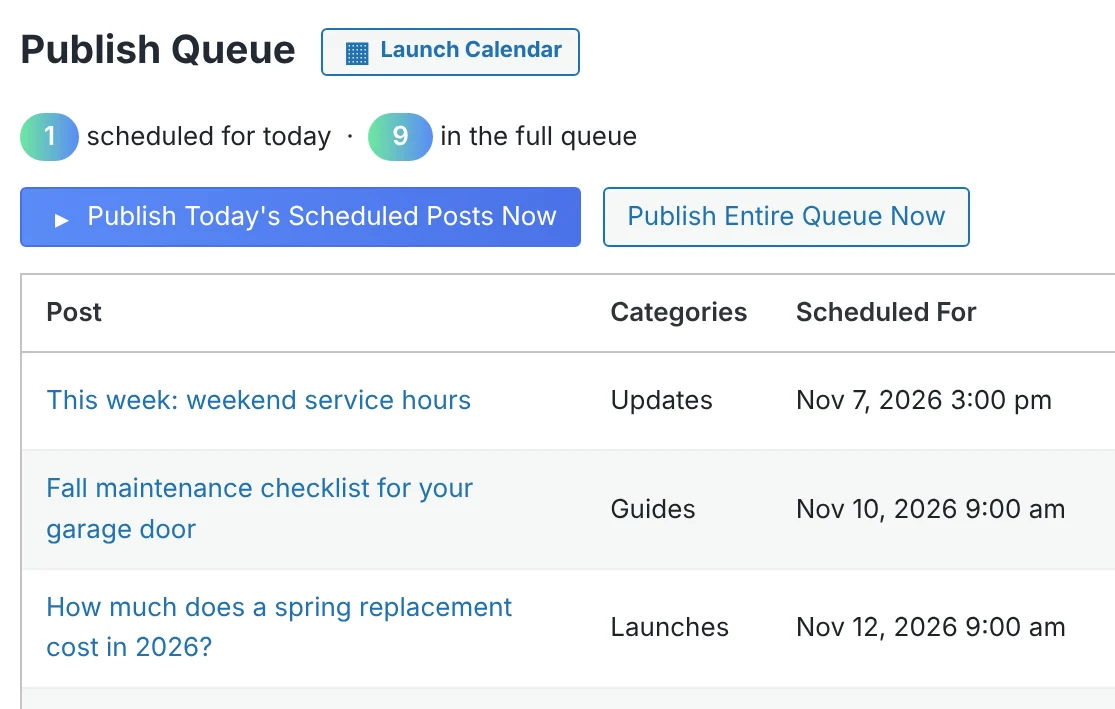
Drafts in. Schedule out.
Pick a publish time, the spacing, and a start date. Every new draft drops into the next open slot by itself. Consistency, without the calendar math.
Scheduling lives in the editor.
A small box on every post. Pick Auto for the next open slot, set an exact minute with Custom, or switch it off. That's the whole workflow.
Three modes. Zero thinking.
- Auto drops the post into the next open slot at your publish time.
- Custom pins an exact minute, day, month, and year.
- Off leaves the post alone until you're ready.

Your week. Your rules.
Choose the days posts may go live. Uncheck Saturday and Sunday, and the queue skips every weekend on its own. Custom dates stay exactly where you put them.

Ship today in one click.
Launch today's posts, or the entire queue, from the settings page, the admin bar, or the dashboard widget. Early posts keep their planned date, or get stamped with the real time. You decide.
Monday morning clarity.
Every Monday at 8, your inbox gets the week ahead. Know exactly what's going live without logging in.
Missed-schedule protection
Hosting hiccup at publish time? Anything dated in the past goes live immediately instead of getting stuck.
Launch Calendar
A monthly timeline of everything published and scheduled, with the coming months at a glance.
The full checklist.
Every feature that keeps a single brand publishing on schedule.
Scheduling
- Auto-Queue: set a publish time, spacing, and start date
- Posts-per-day limit
- Publish Days: choose weekdays, skip weekends
- Auto-queue triggers for Pending Review or new drafts
- Per-post modes: Auto, Custom date and time, Off, Default
- Missed-schedule protection
Publishing
- One-click publish for today's posts
- Publish the entire queue at once
- Publish date control: keep the planned date or stamp the real time
- Bulk actions: queue, toggle, and publish from the Posts list
- Inline date and time editing in the queue
Visibility
- Weekly digest email every Monday
- Launch Calendar with an upcoming-months overview
- Dashboard widget
- Admin bar shortcuts
- Schedule status column on the Posts list
Setup and support
- Works with any theme
- Block editor and classic editor
- No page builder needed
- Guided setup on your demo call
- Automatic updates in your dashboard
Built for how you publish.
Local service companies
Stay visible every week while the crew stays on the job. Write in the slow season, publish all year.
Solo founders and bloggers
Batch your writing on Sunday. The queue ships it Monday through Friday, right on time.
In-house marketers
The Monday digest and Launch Calendar make the content plan visible to everyone above you.
There's a whole side built for agencies.
Color-coded calendars, category campaigns, audit trails, and one-click queue shifts across every client.
See it on your site.
A 30-minute live demo with the Inbound Creative team. Watch Post Launcher Pro run on a real site, mapped to your content.